Cart conversion rate measures the percentage of shoppers who complete a purchase after adding items to their cart. With the right optimization strategies, you can significantly reduce cart abandonment and recover revenue that’s already within reach.
Every abandoned cart represents a customer who wanted to buy. They found your products, added them to their cart, and then hit a roadblock. The good news? Most of these roadblocks are fixable, and the impact on your bottom line can be substantial.
TL;DR
- Cart conversion rate formula: (Completed Purchases ÷ Shopping Carts Created) × 100
- Mobile shoppers add items to cart more often but complete purchases less frequently than desktop users
- Simple changes like transparent pricing, guest checkout, and mobile optimization can dramatically improve conversions
- Cart recovery emails are highly effective when timed correctly (within 1 hour, at 24 hours, and at 72 hours)
- One-page checkout reduces friction and improves completion rates significantly
- Trust signals like security badges and customer reviews directly impact purchase decisions
- Page speed optimization is critical for mobile shoppers who expect instant loading
What is Cart Conversion Rate and How Does It Work?
Cart conversion rate is the percentage of customers who complete a purchase after adding items to their shopping cart. It quantifies how effectively your checkout process turns interested shoppers into paying customers.
The formula is straightforward:
Cart Conversion Rate = (Number of Completed Purchases ÷ Number of Carts Created) × 100
For example, if 1,000 customers add items to their cart in a month and 300 complete their purchases, your cart conversion rate is 30%.
This metric differs from your overall conversion rate or add-to-cart rate. While add-to-cart rate measures how many visitors add products to their cart, cart conversion rate specifically tracks how many of those shoppers actually complete the purchase. It’s one of the most actionable metrics for identifying where customers drop off in the purchase process.
Industry benchmarks vary significantly. Food and beverage sees conversion rates around 50%, while fashion typically sits closer to 12%. The key is understanding your baseline and continuously optimizing from there.
Why Cart Conversion Matters for Your Business
Optimizing cart conversion is one of the most efficient ways to grow revenue. You’ve already invested in attracting these customers to your site, and they’ve shown clear purchase intent by adding items to their cart. Converting them doesn’t require additional traffic or marketing spend.
Think about it this way: improving your cart conversion rate from 25% to 30% means 20% more revenue from the same traffic. That’s growth without increasing your customer acquisition costs or ad budget.
Shipping fast matters, but converting the traffic you already have matters even more.
Mobile-First: The Critical Foundation for Cart Conversion
Before diving into other optimization strategies, we need to address the elephant in the room: mobile commerce. Mobile users represent the majority of ecommerce traffic, yet they convert at significantly lower rates than desktop users.
The Mobile Cart Challenge
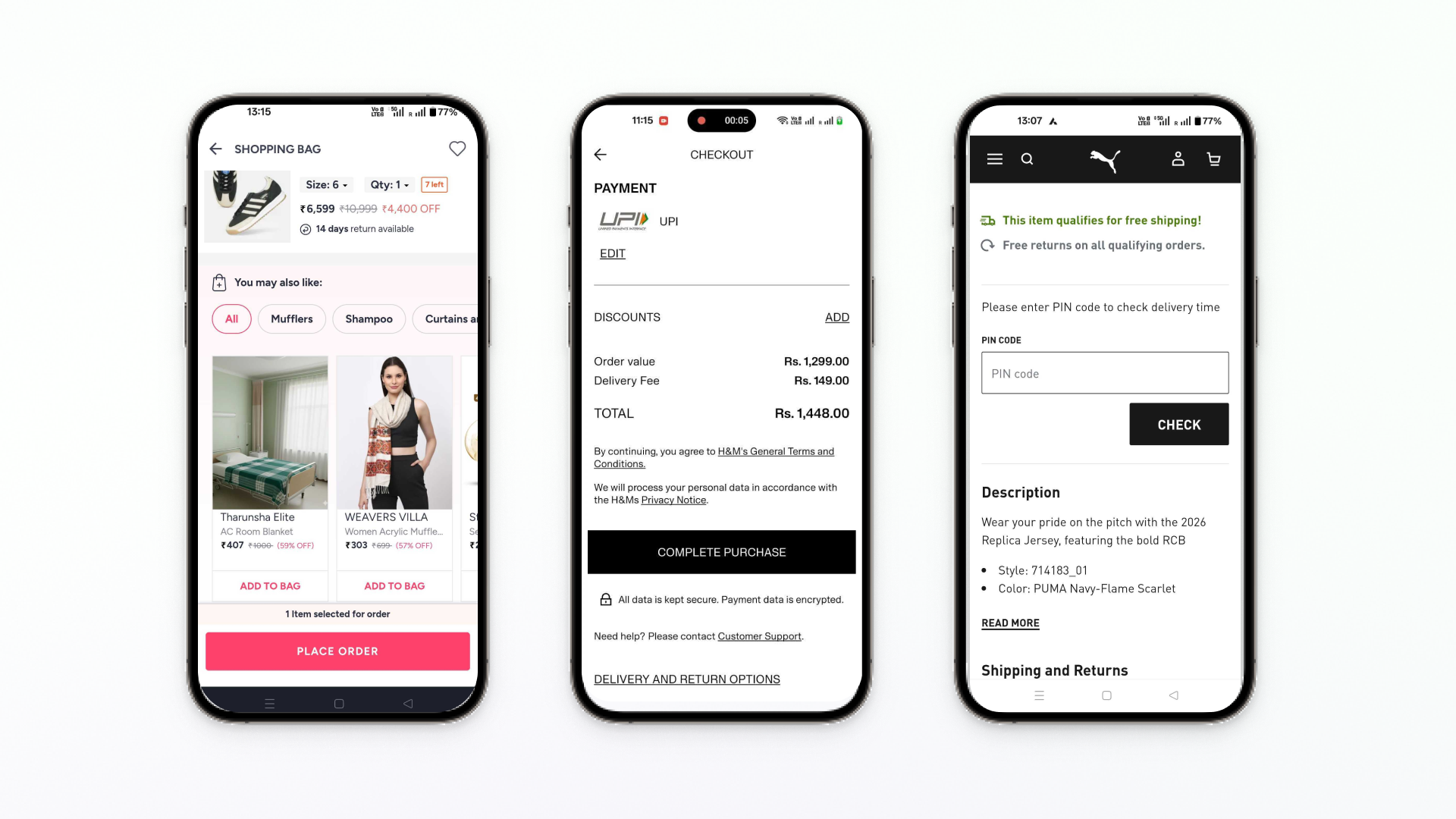
Mobile shoppers add items to cart frequently but complete purchases less often. This gap represents one of the biggest opportunities for revenue recovery in 2026. The reasons are clear: complicated checkout processes become nearly impossible on smaller screens, slow loading times frustrate users who are often shopping on-the-go, and tiny buttons and form fields create friction at every step.
Mobile shoppers expect desktop performance in a thumb-sized package. Deliver it.
Strategy 1: Optimize for Mobile Experience (Your Top Priority)
Mobile optimization isn’t optional anymore. Here’s how to make your mobile checkout frictionless:
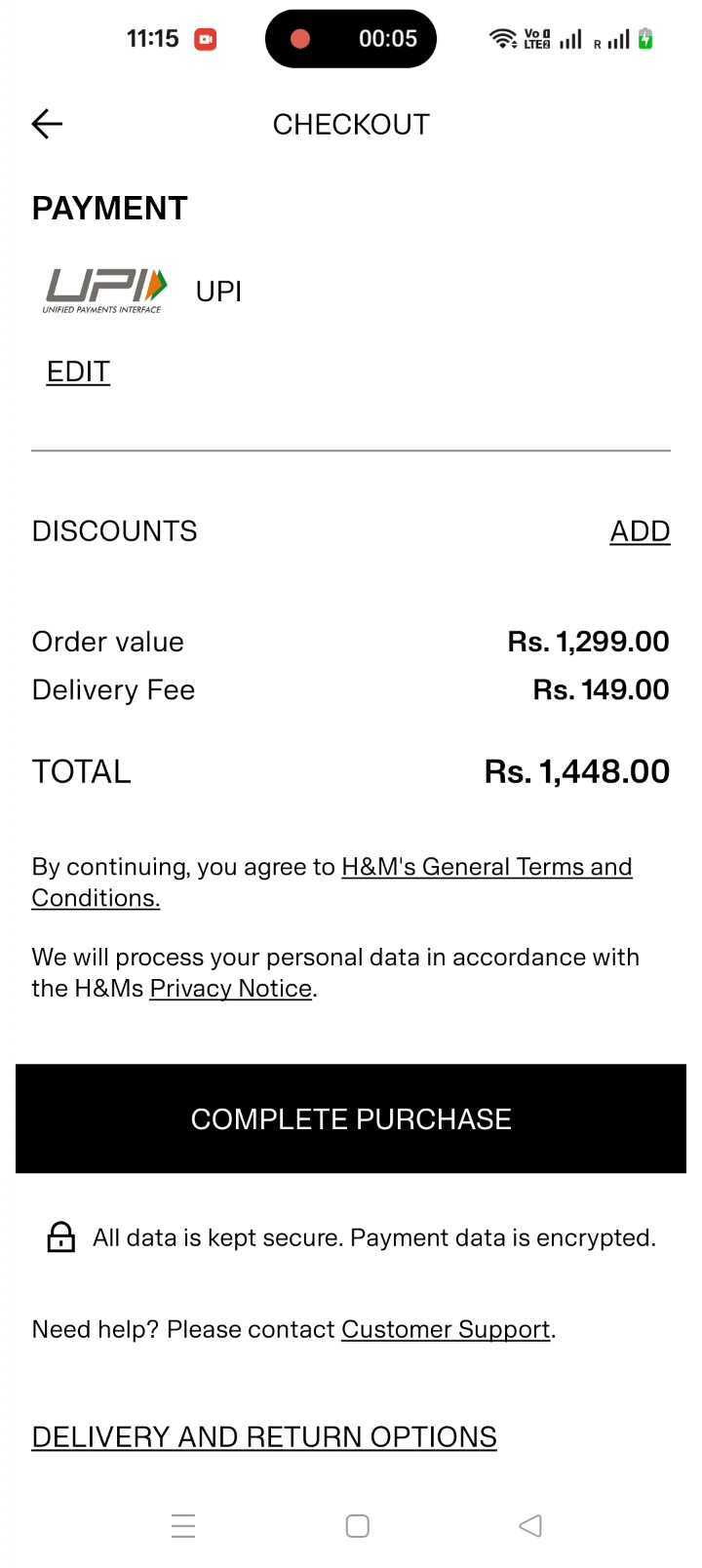
Implement one-page checkout on mobile.
Multiple pages mean multiple opportunities for users to abandon. Consolidate your checkout into a single, streamlined page that keeps everything visible.
Make buttons thumb-friendly.
Your “Add to Cart” and “Checkout” buttons should be at least 44 pixels tall. Smaller buttons lead to frustrated taps and abandoned carts.
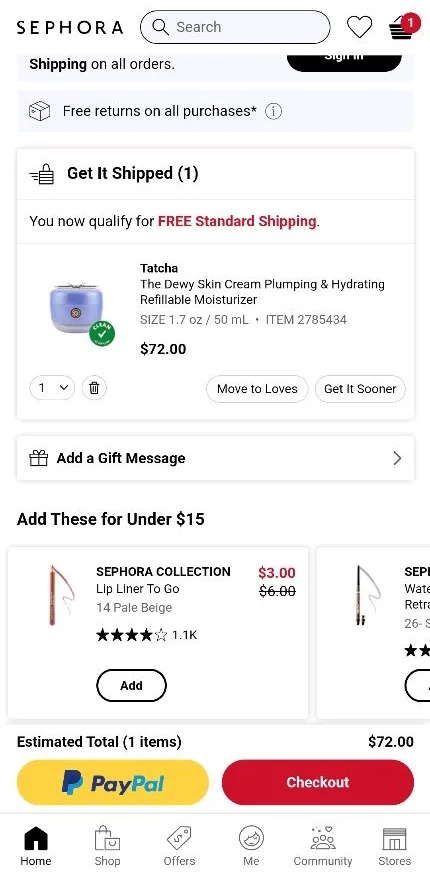
Prioritize digital wallets.
Apple Pay, Google Pay, and PayPal allow one-tap checkout. Position these options prominently at the top of your payment methods. Many shoppers specifically look for these options and will abandon if they’re not available.
Remove unnecessary form fields.
Every field you ask users to fill out on mobile is a potential drop-off point. Stick to the absolute essentials. If you don’t truly need the information to complete the order, remove it.
Use sticky navigation.
Keep your “Checkout” button visible as users scroll. Don’t make them scroll back up to find it.
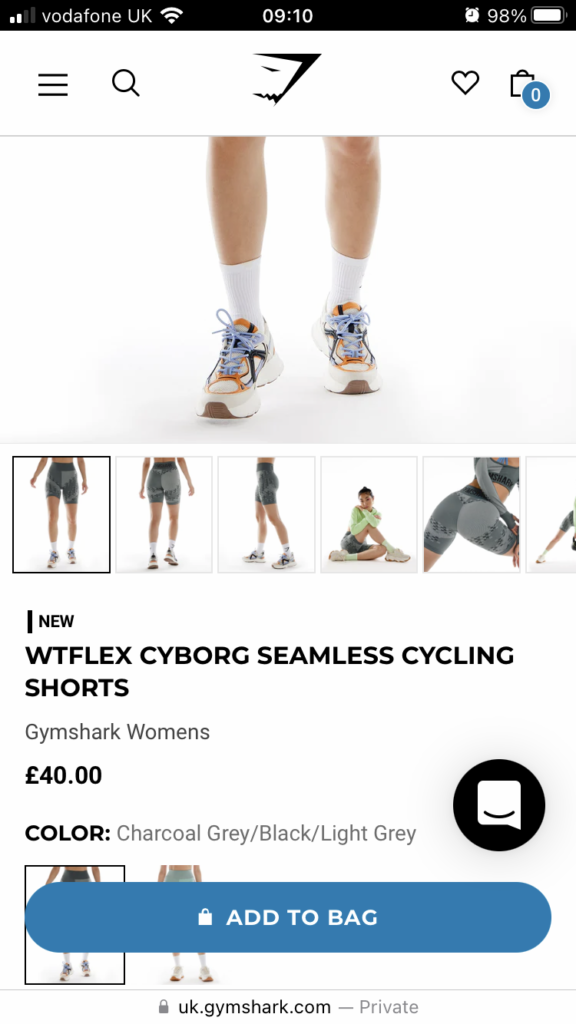
Enable autofill capabilities.
Make it easy for browsers to autofill addresses and payment information. Test this functionality regularly to ensure it works smoothly.
Consider Progressive Web App (PWA) implementation.
PWAs can provide app-like experiences without requiring users to download anything, including offline functionality and push notifications for cart recovery.
You don’t need months of development to fix cart abandonment. With the right approach, you can launch optimized mobile experiences in days and start recovering revenue immediately.
Strategy 2: Optimize Page Load Speed
Speed is non-negotiable for mobile users. Slow loading pages lead directly to abandoned carts.
Your targets should be:
- Mobile: Under 3 seconds (ideally under 2 seconds)
- Desktop: Under 2 seconds
Here are quick wins that deliver immediate results:
- **Compress images using WebP format:**Images are typically the heaviest elements on your page. WebP format provides excellent quality at significantly smaller file sizes.
- **Implement lazy loading:**Load images and content only as users scroll to them, not all at once when the page first loads.
- **Enable browser caching:**Allow browsers to store certain elements locally so returning visitors don’t need to download everything again.**Use a Content Delivery Network (CDN):**CDNs serve your content from servers geographically closer to your users, dramatically reducing load times.
Every second of delay costs you conversions. Make speed optimization a continuous priority, not a one-time project.
Checkout Process Optimization
With mobile foundation in place, let’s optimize the checkout experience across all devices.
Strategy 3: Display All Costs Upfront
Unexpected costs at checkout are one of the top reasons shoppers abandon carts. When shipping fees, taxes, or handling charges suddenly appear at the final step, customers feel deceived.
Show shipping costs & delivery times on product pages.
Use a shipping calculator and delivery time confirmation tool that lets shoppers enter their zip code to see costs before adding to cart.
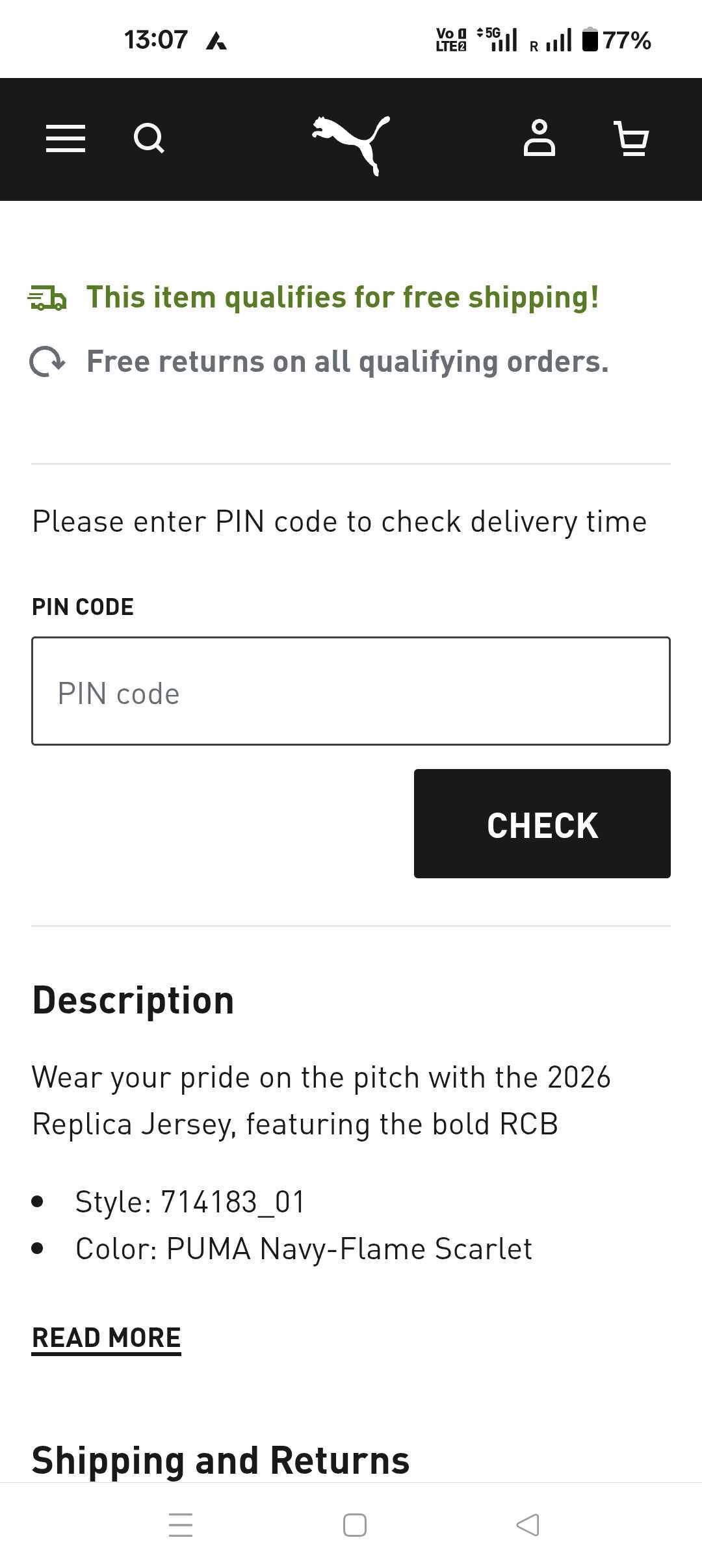
Display taxes and fees before checkout.
Don’t wait until the payment page to reveal the total cost. Show estimated totals as early as possible.
Use free shipping thresholds strategically.
If free shipping kicks in at $50, show shoppers how close they are to that threshold. This not only increases transparency but can boost average order value.
Communicate total cost clearly.
Make the final price prominent and easy to understand. Hidden or unclear pricing erodes trust instantly.
Strategy 4: Enable Guest Checkout
Forcing account creation is a conversion killer. Many shoppers want to complete their purchase quickly without creating yet another account and password to remember.
Offer guest checkout prominently.
Make it the default option, not buried beneath account creation forms.
Show account benefits without forcing.
Explain the advantages of creating an account (order tracking, faster future checkouts, exclusive deals) but make it optional.
Auto-create accounts in the background.
After a guest completes their purchase, you can offer to save their information for next time with a simple password setup.
Allow post-purchase account creation.
Let customers create an account from their order confirmation email if they choose.
The easier you make checkout, the more checkouts you’ll get.
Strategy 5: Simplify the Checkout Process
Complicated checkouts frustrate customers and kill conversions. Keep it simple.
Use single-page checkout when possible.
One page with all necessary fields is almost always better than a multi-step process. Users can see everything at once and don’t wonder how many more steps remain.
Add progress indicators for multi-step checkouts.
If you must use multiple pages, show clear progress indicators so customers know exactly where they are in the process.
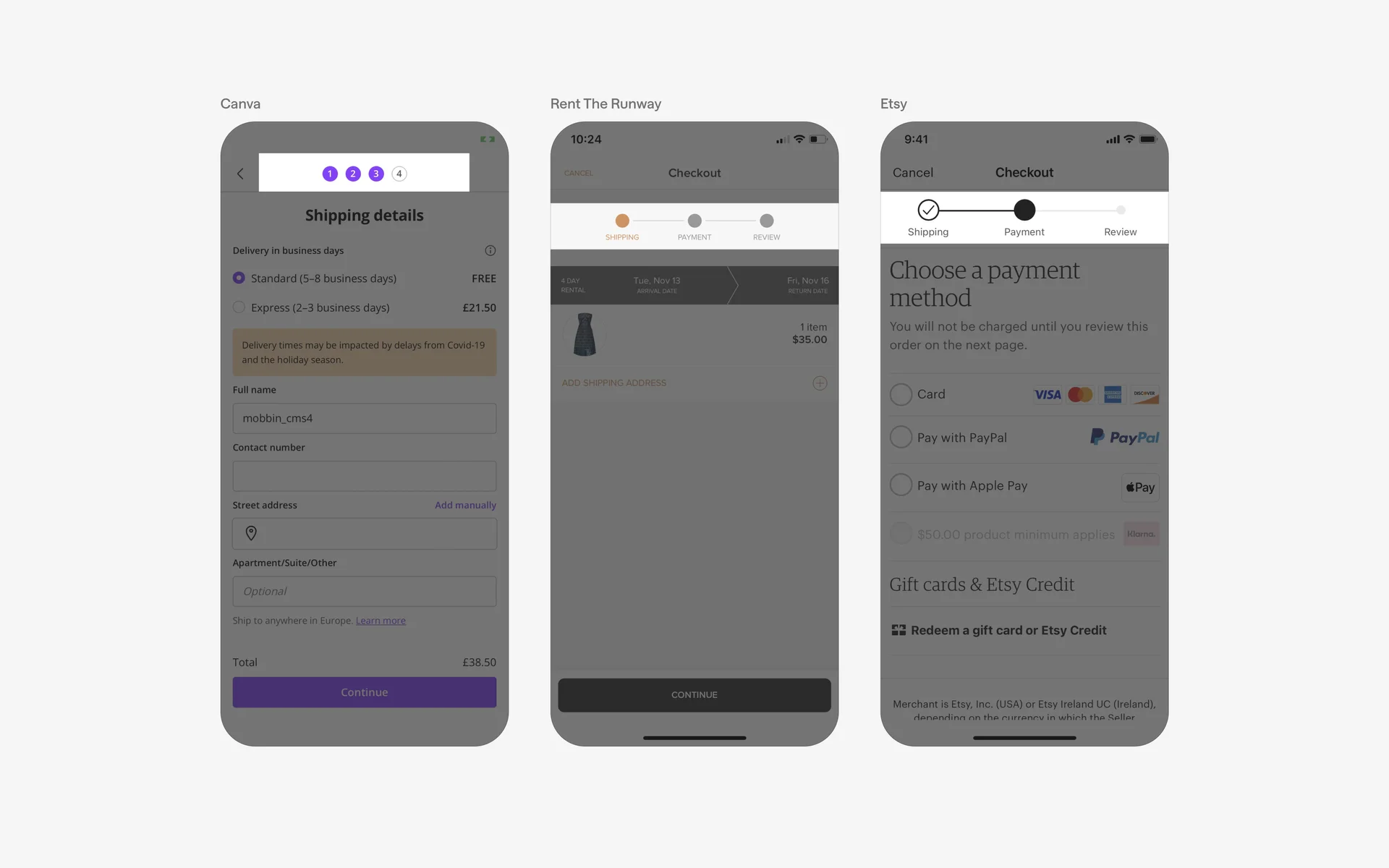
Reduce form fields to essentials.
Ask only for information you absolutely need. Every field you remove increases completion rates.
Enable autofill capabilities.
Make sure browser autofill works smoothly for addresses and payment information.
Provide clear error messaging.
When something goes wrong, tell users exactly what and how to fix it. Vague error messages lead to abandoned carts.
Strategy 6: Offer Multiple Payment Options
Limited payment options cause abandonment. Shoppers expect flexibility in how they pay.
Your 2026 must-haves:
- Credit and debit cards (Visa, Mastercard, American Express, Discover)
- Digital wallets (Apple Pay, Google Pay, PayPal)
- Buy Now Pay Later options (Klarna, Afterpay, Affirm)
- Region-specific methods (Alipay for Chinese markets, iDEAL for Netherlands, etc.)
Aim for at least 3-5 payment methods. More importantly, display the available payment options early in the shopping experience so customers know their preferred method is available before they reach checkout.
Strategy 7: Build Trust with Security Signals
Security concerns prevent many shoppers from completing purchases, especially first-time customers who don’t know your brand yet.
Display these trust elements prominently on your checkout page:
- SSL certificates (HTTPS). This is table stakes. If your site doesn’t have HTTPS, fix that immediately.
- Security badges. Norton, McAfee, and other security provider badges reassure customers their information is protected.
- Payment provider logos. Displaying logos for PayPal, Stripe, or other trusted payment processors builds confidence.
- Money-back guarantees. Clear guarantee statements reduce purchase anxiety.
- Customer reviews on the cart page. Social proof from other customers who successfully purchased builds trust.
Place these elements where customers can easily see them, especially near payment information fields.
Cart Page and Experience Optimization
The cart page itself plays a crucial role in conversion. Optimize this critical step between browsing and buying.
Strategy 8: Streamline the Cart Page
Your cart page should make it effortless for customers to review and modify their order before checkout.
- Use high-quality images: Show exactly what’s in the cart with clear, recognizable images.
- Enable easy quantity editing: Let customers change quantities with simple plus/minus buttons or input fields.
- Provide clear “Remove” options: Don’t make customers set quantity to zero to remove items. Include an obvious “Remove” or “Delete” button.
- Update in real-time: When customers change quantities or remove items, update the cart immediately. Don’t require clicking an “Update Cart” button.
- **Allow editing within the cart:**Let customers change sizes, colors, or other options directly from the cart without going back to product pages.
- Show visible savings and discounts: If items are on sale or discounts apply, clearly display the savings.
- **Make the checkout CTA prominent:**Your “Proceed to Checkout” button should be impossible to miss.
For mobile users, optimize button placement for thumb-zone access. The bottom of the screen is where thumbs naturally rest.
.gif)
Strategy 9: Use Upsells and Cross-sells Strategically
Strategic product recommendations can increase average order value without harming conversion rates, but only if done thoughtfully.
- Show relevant recommendations only:“Frequently bought together” bundles or complementary products make sense. Random suggestions don’t.
- Limit choices to 3-5 products: Too many options overwhelm rather than help.
- **Position recommendations on the cart page, not checkout:**once customers reach checkout, let them complete the purchase. Don’t introduce new decisions at that critical moment.
- Keep recommendations contextual: If someone’s buying a camera, show lenses, memory cards, or cases. Don’t show unrelated items.

Strategy 10: Add Urgency and Scarcity Elements
Psychology matters. Well-executed urgency and scarcity tactics encourage action without feeling manipulative.
- **“Only X left in stock” notifications:**When inventory is genuinely low, let shoppers know. This works because it’s authentic.
- **Limited-time discounts:**If you’re offering a promotion, make the timeframe clear.
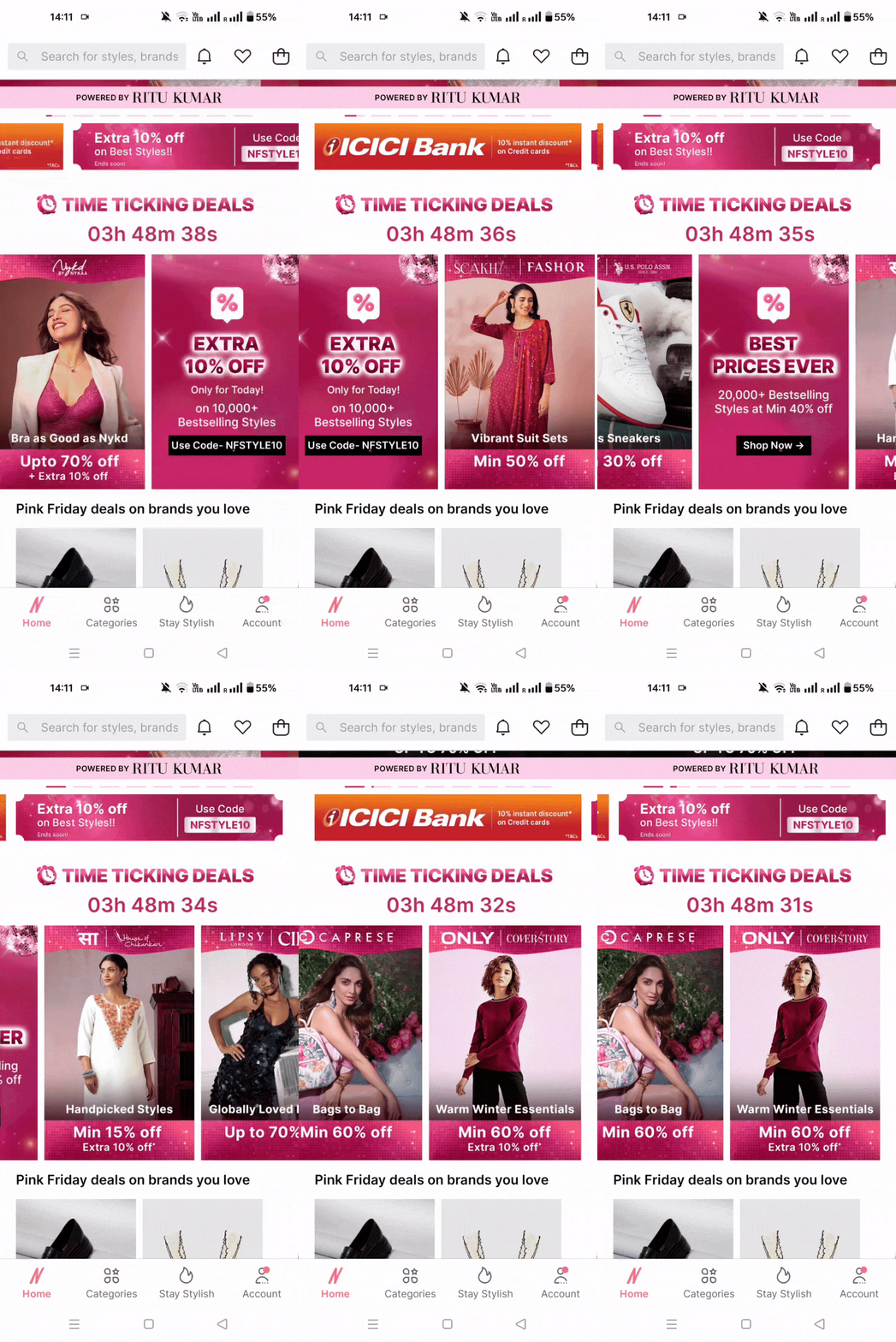
- **Countdown timers:**For flash sales or limited offers, visual countdown timers reinforce the time constraint.
- **Flash sale indicators:**Highlight when special pricing is available for a short period.
The critical rule: use these tactics authentically. Fake scarcity destroys trust. If you say only 2 items remain, that should be true. If you’re constantly running “ending soon” sales that never actually end, customers will see through it.
Recovery and Retention Strategies
Not every customer will convert on their first visit. Smart recovery strategies can bring them back.
Strategy 11: Implement Cart Recovery Emails
Abandoned cart emails are one of the most effective tools for recovering lost sales. When done well, they work.
Use this three-email sequence:
Email 1: Within 1 hour (The Reminder)
- Simple, friendly reminder that they left items behind
- Show the products with images
- Make it easy to return to cart with one click
- No discount yet
Email 2: At 24 hours (The Incentive)
- Acknowledge they haven’t completed purchase
- Offer an incentive (free shipping, 10% off, etc.)
- Address common objections (shipping, returns, security)
- Create some urgency
Email 3: At 72 hours (Last Chance)
- Final reminder that cart will expire or items may sell out
- Strongest incentive if offering one
- “Last chance” messaging without being pushy
- Alternative product suggestions if main items sold out

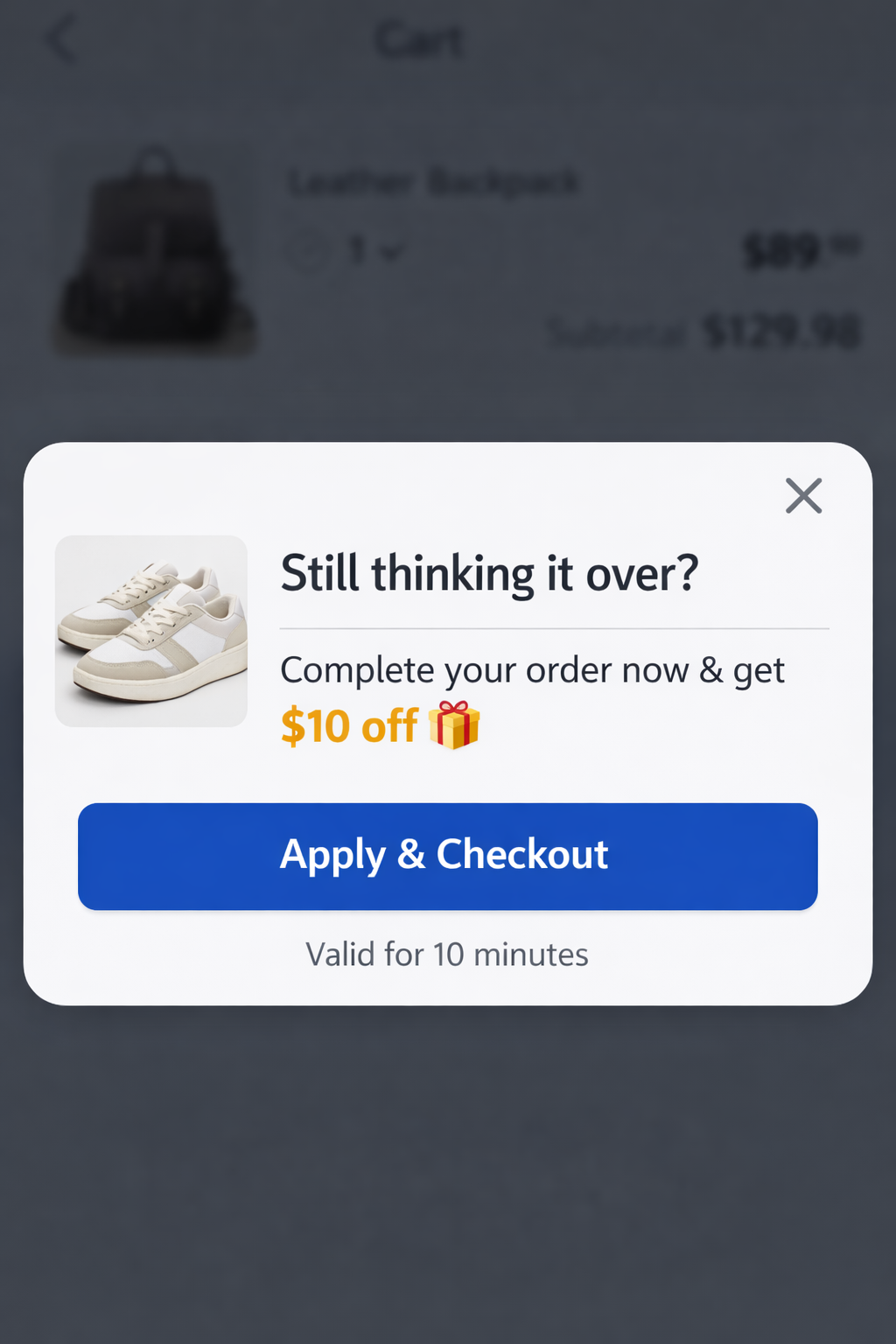
Strategy 12: Implement Exit-Intent Popups
Exit-intent popups trigger when users show signs of leaving your site. They can recover 10-15% of abandoning visitors when done correctly.
Best practices:
- Trigger on exit behavior. Use technology that detects when users are about to leave, don’t just show popups randomly.
- Offer genuine value. A meaningful discount (10%+) or free shipping works better than vague “special offers.”
- Keep design minimal. Simple, clean popups perform better than busy, cluttered ones.
- Make dismissal easy. Include a clear, obvious close button. Trapped users become angry users.
- Don’t interrupt the checkout flow. Never show popups during checkout. Only use them on product pages and the cart page.
Additional Optimization Tactics
Strategy 13: Provide Clear Shipping Information
Shipping concerns cause abandonment. Address them proactively.
- Offer multiple shipping options. Give customers choice between speed and cost. Some will pay more for faster delivery, others prefer to save money and wait.
- Show estimated delivery dates. “Ships in 2-3 business days” is less effective than “Arrives by Thursday, January 23.”
- Provide real-time tracking. Once orders ship, make tracking information immediately available.
- Use free shipping thresholds strategically. Show customers how close they are to qualifying for free shipping. This can increase order values while reducing perceived costs.
- Highlight delivery guarantees. If you guarantee delivery dates, make that prominent. It reduces anxiety about when items will arrive.

Strategy 14: Offer a Flexible Return Policy
Return policy concerns prevent purchases, especially for first-time customers or higher-priced items.
What works:
- Free returns.
- Extended return windows.
- Easy return process.
- Prepaid return labels.
Strategy 15: Implement Live Chat Support
Make live chat available during the checkout process, not just on product pages. Some of the highest-value chat conversations happen when customers are close to buying but have last-minute questions.
Key use cases:
Answer product questions.
When customers aren’t sure about features, specifications, or compatibility, immediate answers keep them moving forward.
Provide size guidance.
For apparel and footwear, sizing questions are common purchase blockers.
Offer real-time discounts.
Chat agents can provide special codes to customers on the fence.
Address payment concerns.
Questions about security, payment plans, or accepted methods can be resolved instantly.
Compare products.
Help customers choose between similar products without leaving the site to research.
Measuring Success: Key Metrics to Track
You can’t improve what you don’t measure. Track these metrics consistently:
Cart conversion rate
Your north star metric for this entire optimization effort.
Cart abandonment rate
The inverse of conversion rate, showing what percentage leave without buying.
Time to checkout
How long it takes from cart creation to purchase completion. Faster is generally better.
Checkout completion rate
Of those who start checkout, what percentage finish? This helps isolate checkout-specific issues.
Revenue per visitor
Total revenue divided by site visitors. This combines traffic and conversion efficiency.
Mobile vs desktop conversion gap
Track the difference between device types to identify mobile-specific issues.
Email recovery rate
How many abandoned carts do your emails recover? This measures email effectiveness.
Page load speed
Monitor loading times consistently across devices and locations.
Use these tools for measurement:
- Google Analytics 4 for comprehensive funnel tracking
- Heatmap tools (Hotjar, Crazy Egg) to visualize user behavior
- Session replay software to watch how real users navigate your checkout
- A/B testing platforms to validate changes before full rollout
FAQ: Your Cart Conversion Questions Answered
Q. What is a good cart conversion rate?
A. A good cart conversion rate depends on your industry, but generally ranges from 25-30% for most ecommerce businesses. Food and beverage tends higher (around 50%), while fashion and luxury goods tend lower (12-15%). Focus on improving your own baseline rather than matching arbitrary benchmarks. A 5-point improvement in your rate delivers real revenue growth regardless of where you start.
Q. What’s the difference between add-to-cart rate and cart conversion rate?
A. Add-to-cart rate measures what percentage of site visitors add at least one item to their cart. Cart conversion rate measures what percentage of shoppers who create carts actually complete purchases. Both matter, but they measure different stages. You can have a high add-to-cart rate but low cart conversion rate, which indicates checkout problems rather than product appeal issues.
Q. Why is my mobile cart conversion rate so low?
A. Mobile cart conversion rates are typically lower than desktop for several reasons: complicated checkout processes that don’t work well on small screens, slow loading times that frustrate on-the-go shoppers, and difficult-to-tap buttons and fields. Prioritize mobile optimization by implementing one-page checkout, enabling digital wallets, increasing button sizes, and reducing form fields. Also ensure your site loads in under 3 seconds on mobile devices.
Q. How can I reduce cart abandonment quickly?
A. Focus on these three immediate actions: First, show all costs upfront including shipping and taxes. Second, enable guest checkout so customers don’t need to create accounts. Third, implement cart recovery emails that go out within 1 hour, at 24 hours, and at 72 hours. These changes require minimal development and deliver measurable results within weeks.
Q. Are cart recovery emails effective?
A. Yes, cart recovery emails are highly effective when done correctly. Send your first email within 1 hour as a simple reminder, your second at 24 hours with an incentive, and your third at 72 hours as a final opportunity. Personalize emails with the customer’s name and specific products they left behind. Generic, delayed emails get ignored, but well-timed, personalized sequences recover significant revenue.
Q. Should I use a one-page or multi-page checkout?
A. One-page checkout typically performs better because it reduces friction and shows customers exactly what’s required to complete purchase. However, this varies by industry and average order value. For complex purchases requiring more information, a multi-step process with clear progress indicators may work better. Test both approaches with your specific audience to determine what converts best for your business.
Q. How does Plotline help increase cart conversion?
A. Plotline enables you to optimize cart experiences without dev resources. Launch improved mobile checkout flows, implement exit-intent offers, add urgency elements, and personalize cart messaging in days instead of months. Book a demo to see how Plotline can help your app’s growth. No-code tools mean your team can test and iterate quickly, implementing proven strategies immediately rather than waiting for development cycles. Speed to implementation means faster recovery of abandoned revenue.