TL;DR
- Use a soft ask before the native browser permission prompt. Explain the value before asking to subscribe
- Segment your audience by behavior, lifecycle stage, and recency. Relevance beats reach every time
- Keep copy under 60 characters for titles and 120 for body. Every word must earn its place
- Respect time zones and set frequency caps. 2-5 notifications per week is a safe starting range
- Personalize beyond first names. Use dynamic content, browsing history, and liquid tags for real 1:1 messaging
- A/B test everything: copy, send times, rich media, and CTA text
- Stitch push with in-app experiences for the highest-converting multi-touch journeys
- Measure business outcomes (conversions, revenue per send), not just clicks
Why Web Push Notifications Matter
Web push notifications reach users even when they’re not on your website. Unlike email, they don’t require an inbox check. Unlike SMS, they don’t cost per message. And unlike in-app messages, they work when the user is anywhere else on the internet.
But there’s a catch: users are protective of their notification permissions. The average desktop user subscribes to fewer than 3 websites for push notifications. Every slot in their notification tray is earned, and easily revoked.
The difference between a web push strategy that drives engagement and one that drives unsubscribes comes down to execution. Here are 10 best practices that separate high-performing push programs from notification spam.
Push Notifications vs Web Push Notifications
Before diving into best practices, it’s important to understand the difference between push notifications and web push notifications. They’re often used interchangeably, but they work quite differently.
Push notifications (also called mobile push) are sent through native mobile apps on iOS and Android. They require the user to have your app installed. The notification is delivered via Apple Push Notification Service (APNs) or Firebase Cloud Messaging (FCM), and it appears in the device’s notification tray whether the app is open or not.
Web push notifications are sent through web browsers (Chrome, Firefox, Edge, Safari). They don’t require an app install. Instead, the user subscribes via a browser permission prompt, and notifications are delivered through the browser’s push service. They work on both desktop and mobile browsers.
Key differences:
- App requirement: Mobile push requires an installed app. Web push only requires the user to visit your website and opt in
- Reach: Web push can reach users who haven’t installed your app, making it ideal for e-commerce sites, content platforms, and SaaS products
- Opt-in mechanism: Mobile push uses OS-level permissions (iOS asks once; Android auto-enables by default). Web push always requires explicit browser-level opt-in
- Rich media support: Mobile push has deeper native support for images, sounds, and interactive elements. Web push supports images and action buttons, but with more variation across browsers
- Delivery reliability: Mobile push benefits from persistent OS-level connections. Web push delivery depends on the browser being installed (not necessarily open) and the service worker being active
- Platform control: Mobile push is governed by App Store/Play Store policies. Web push is governed by browser vendors (Google, Apple, Mozilla), who have been tightening permission UX to reduce spam
When to use which:
- Use mobile push when you have a native app and want the deepest engagement channel with the richest notification experience
- Use web push when you want to re-engage website visitors without requiring an app install, or as a complement to mobile push for cross-platform coverage
- Use both when your product has both a website and a native app, to maximize reach across all user touchpoints
The best practices below apply specifically to web push, though many of the principles (segmentation, personalization, frequency capping, A/B testing) are equally relevant to mobile push.
1. Nail the Permission Prompt
The default browser permission prompt is cold and context-free. Users dismiss what they don’t understand, and once dismissed, most browsers block the prompt from appearing again.
Use a soft ask (a custom in-page prompt) before triggering the native browser dialog. Explain what they’ll receive and why it matters.
Do this:
- Show the prompt after meaningful engagement: browsing 2-3 pages, adding to cart, or completing an action
- Use context-specific copy:
"Get notified when your order ships"or"Be the first to know about flash sales" - Explain the value exchange upfront. What’s in it for the user?
Avoid:
- Firing the prompt on first page load, before the user has any context
- Generic copy like
"Allow notifications?"with no explanation - Multiple back-to-back prompts in a single session
Why it matters: Soft asks can increase opt-in rates by 2-3x compared to the cold browser prompt. Users who opt in after understanding the value are also far less likely to unsubscribe later.
2. Segment, Don’t Spray
Sending the same notification to your entire audience is the fastest way to lose subscribers. The more relevant the message, the higher the engagement.
Build segments based on real user signals:
- Behavior: cart abandoners, repeat visitors, inactive users, specific pages browsed
- Preferences: product categories they’ve explored, content they’ve consumed
- Lifecycle stage: new visitors vs. loyal customers vs. churning users
- Recency: users active in the last 7 days vs. 30+ days dormant
Pro tip: Combine behavioral + lifecycle segments for precision targeting. A cart abandoner who’s a new visitor needs a different nudge than a loyal customer who left items behind. A dormant user who was once highly active needs a different re-engagement message than someone who signed up and never returned.
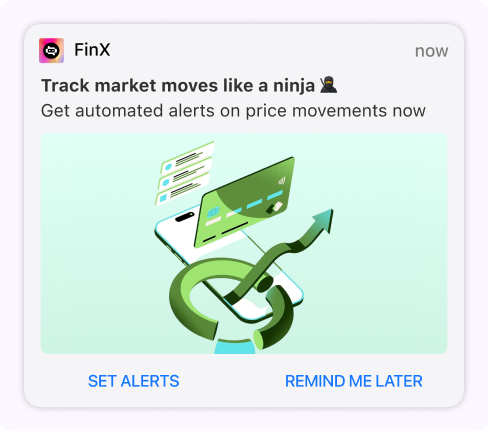
3. Keep Copy Short and Action-Oriented
You have roughly 40-60 characters for the title and ~120 characters for the body before truncation kicks in. Every word must earn its place.
Great examples:
"Your price drop alert: Nike Air Max now 30% off"- leads with value"Last 2 hours: Free shipping on all orders"- creates urgency"Episode 5 of your series just dropped"- specific and personal
Avoid:
- Vague CTAs like
"Click here"or"Check this out". Tell them what they’ll get - Writing paragraphs. This isn’t email
- ALL CAPS or excessive emoji. It reads as spam in the notification tray
Why it matters: Users scan notifications in under 2 seconds. If your title doesn’t communicate value immediately, they’ll swipe it away without reading the body.
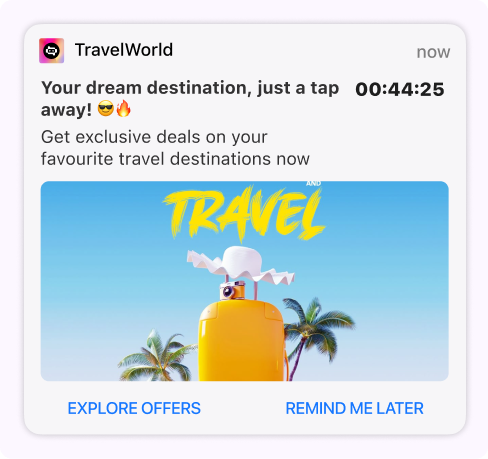
4. Time It Right
Notifications sent at 3 AM aren’t engagement, they’re noise. And a perfectly crafted notification sent at the wrong time is a wasted impression.
Timing best practices:
- Respect time zones: always send based on the user’s local time, not yours
- Optimal windows: for most B2C websites, 10 AM-1 PM and 6 PM-9 PM see peak engagement
- A/B test send times: optimal timing varies by industry and audience. A news site’s best window is different from an e-commerce store’s
- Transactional exceptions: order updates, delivery alerts, and account notifications should be sent immediately, regardless of time
Pro tip: Weekday vs. weekend performance often differs significantly. Test separately and optimize for each.
5. Use Rich Media
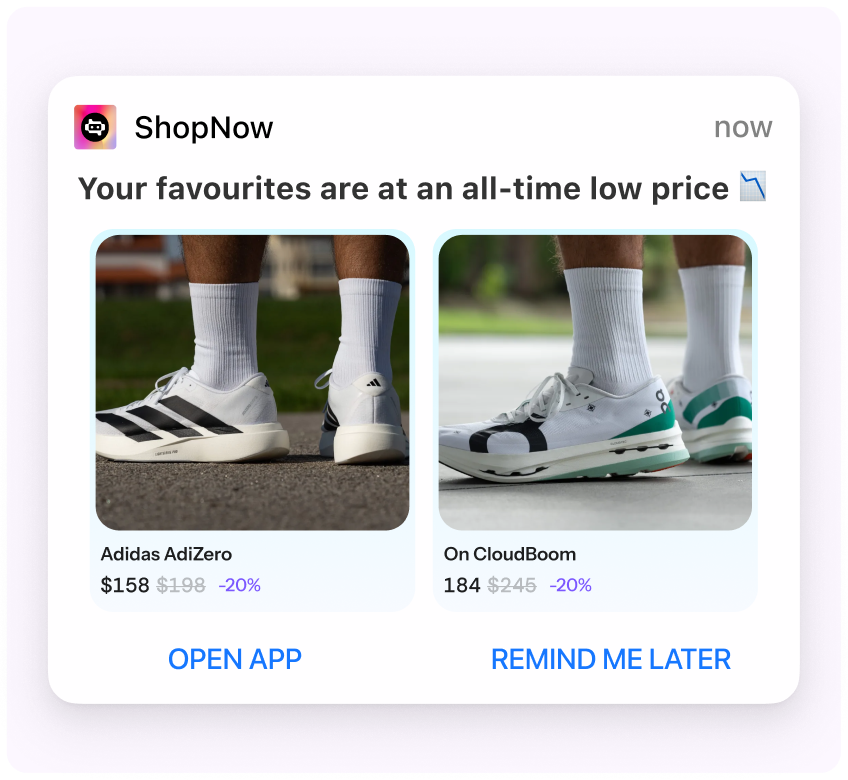
Web push notifications support images, icons, and action buttons. Using them can increase CTR by 2-3x compared to text-only notifications.
What to use:
- Hero images: grab attention and convey context at a glance. Product images, sale banners, and content thumbnails all work
- Custom icons: reinforce brand recognition vs. the generic browser icon
- Action buttons: “Shop Now” / “Remind Later” give users control and improve conversion rates
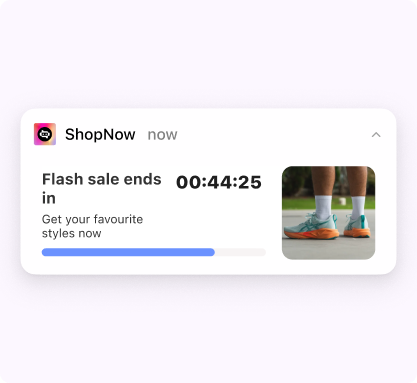
- Countdown timers: for flash sales and limited-time offers, live timers create impossible-to-ignore urgency
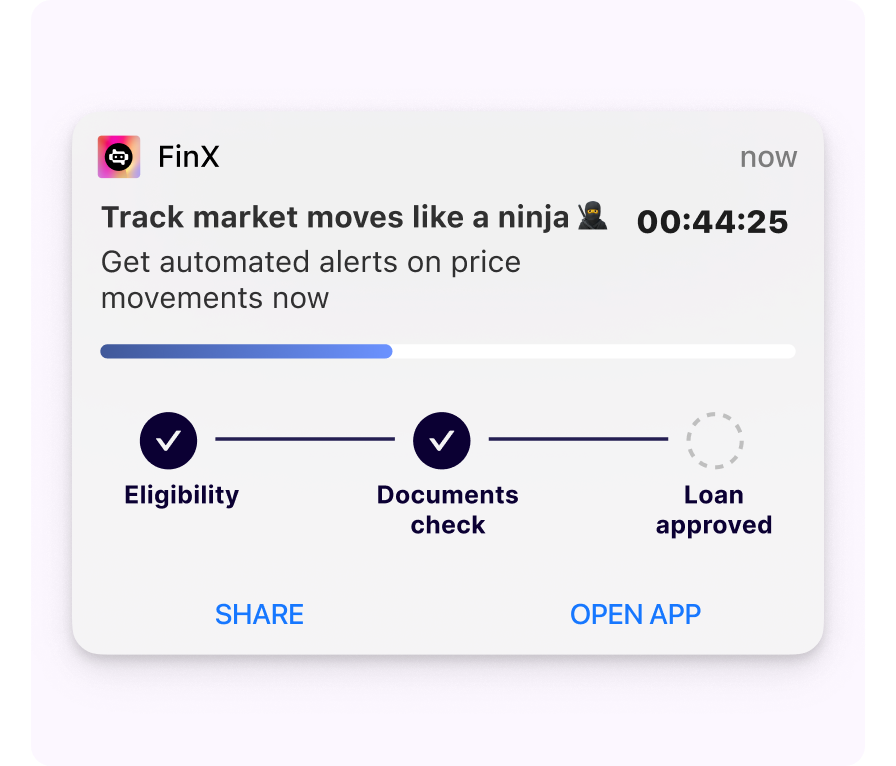
Why it matters: The notification tray is a visual environment. A text-only notification competes with rich notifications from Instagram, YouTube, and every other app. Rich media levels the playing field, and often wins.
6. Set Frequency Caps
There’s a fine line between staying top-of-mind and being annoying. Cross it, and users don’t just ignore your notifications. They unsubscribe permanently.
Guidelines:
- 2-5 notifications per week is a safe starting range for most brands
- Cap per day: never send more than 1-2 per day unless it’s transactional (order updates, delivery tracking)
- Separate transactional from promotional: order updates shouldn’t count against your marketing cap
- Let users control frequency: a preference center reduces opt-outs dramatically. Let users choose what types of notifications they receive
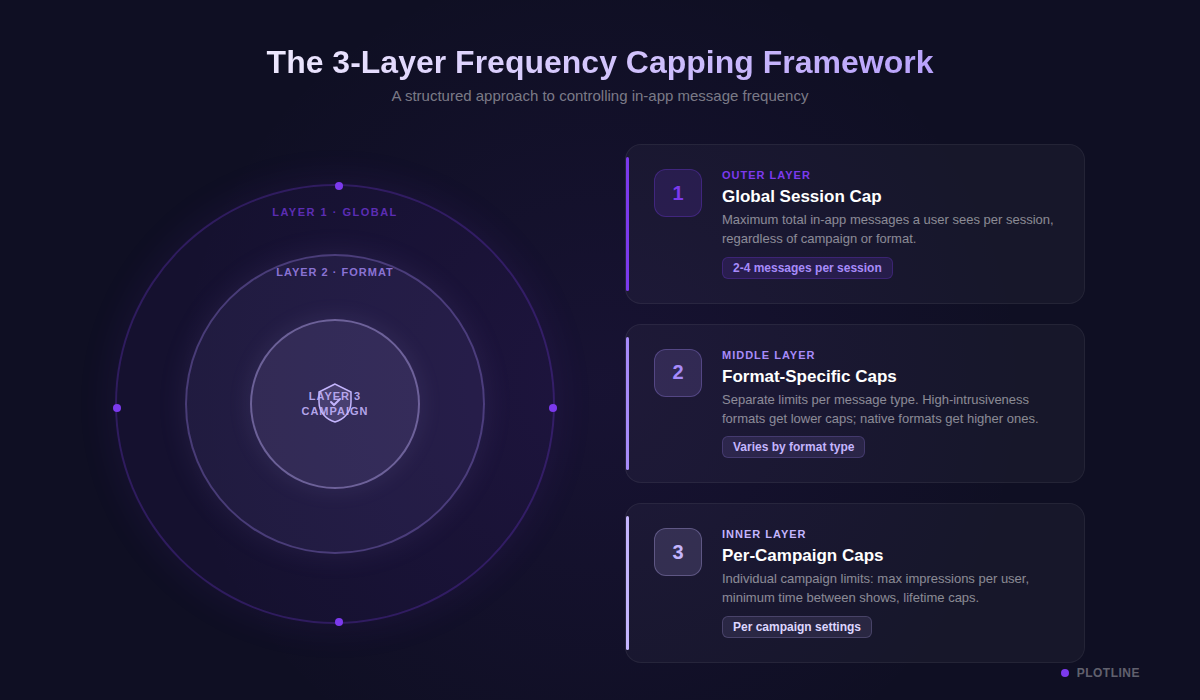
Why it matters: Users who unsubscribe from push are nearly impossible to win back. Browser permissions, once revoked, require manual re-enablement from settings, which almost no one does. Frequency capping protects your subscriber base.
7. Personalize Beyond First Name
Hi {first_name} is table stakes. True personalization means tailoring the entire message to the individual’s context, behavior, and preferences.
Real personalization looks like:
- Recommending products based on browsing history:
"The headphones you viewed are now 25% off" - Referencing their last action:
"Still thinking about that blue jacket? It's selling fast" - Using dynamic content based on user attributes like location, plan type, and loyalty tier
- Inserting real-time data with liquid tags like account balances, points, and reward expiry dates
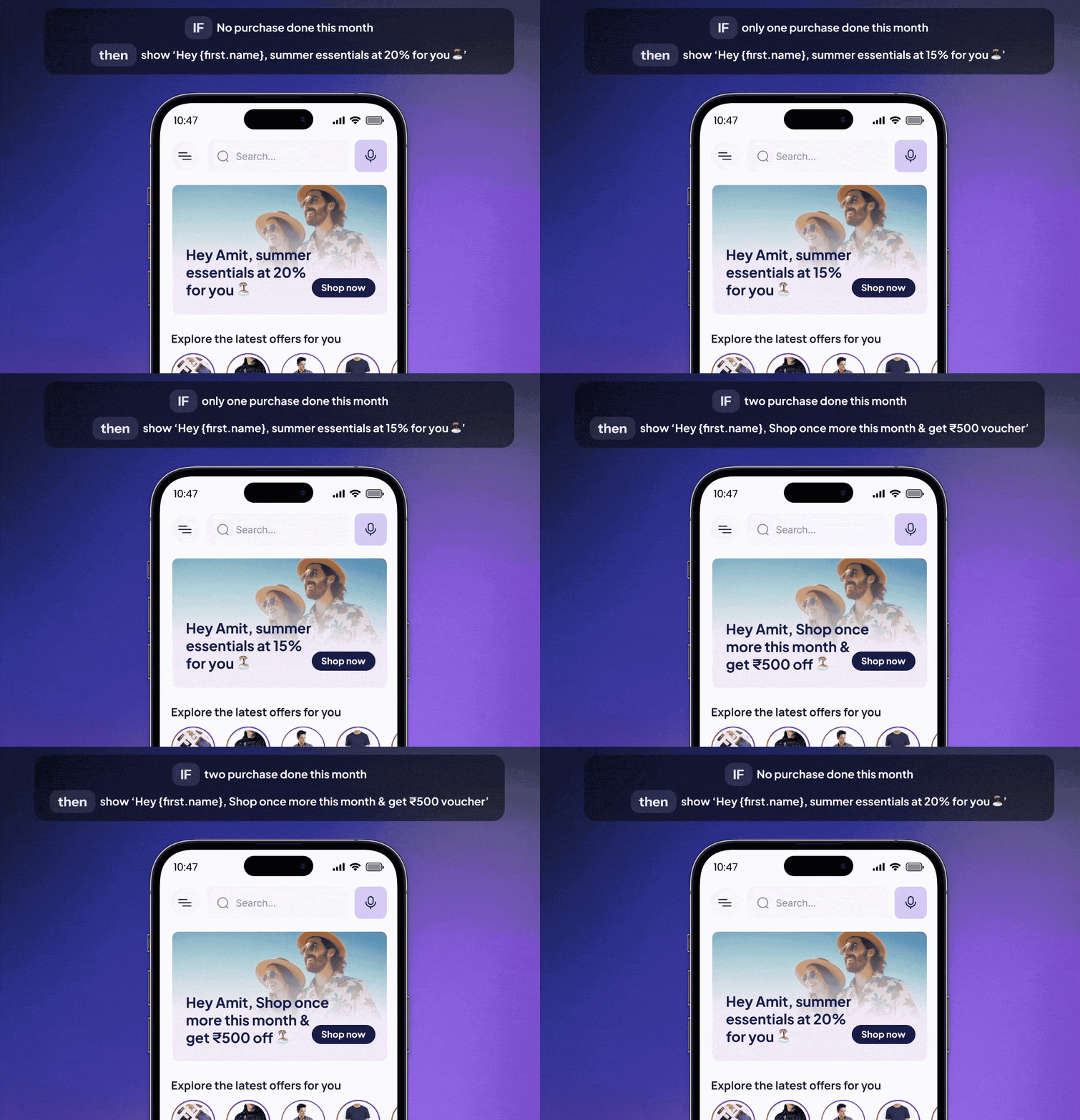
Why it matters: Personalized push notifications see 4x higher engagement rates than generic broadcasts. When a notification references something the user actually did or cares about, it feels like a helpful alert rather than marketing noise.
8. A/B Test Everything
Don’t assume. Test. Every element of a push notification can be optimized, and small improvements compound over time.
What to test:
- Copy variants: urgency vs. curiosity vs. value-led messaging
- Send times: morning vs. evening vs. lunch hour
- Rich media vs. text-only: images don’t always win for every audience
- CTA button text: “Shop Now” vs. “See Deal” vs. “Claim Offer”
- With vs. without emoji: varies dramatically by demographic
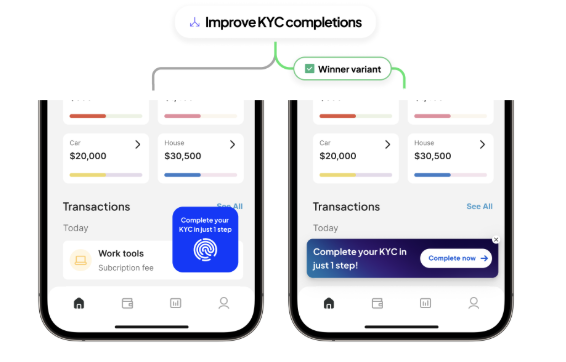
Run tests with statistical significance (95%+ confidence) before declaring a winner. Use auto-optimization features like Smart Switch to automatically shift traffic to the winning variant after your confidence threshold is met.
Pro tip: Test one variable at a time. If you change the copy AND the image AND the send time, you won’t know which change drove the result.
9. Handle the “Dismissed” State Gracefully
Users who dismiss the browser permission prompt are blocked from seeing it again. Browsers enforce this. You need a recovery strategy.
Recovery strategies:
- Track dismissal rates to understand the scale of the problem
- Use alternative channels like email, in-app nudges, and bottom sheets to re-engage users who blocked notifications
- On subsequent visits, show a soft prompt explaining how to re-enable notifications from browser settings
- Stitch push with in-app campaigns. If push is blocked, the in-app channel picks up the slack automatically
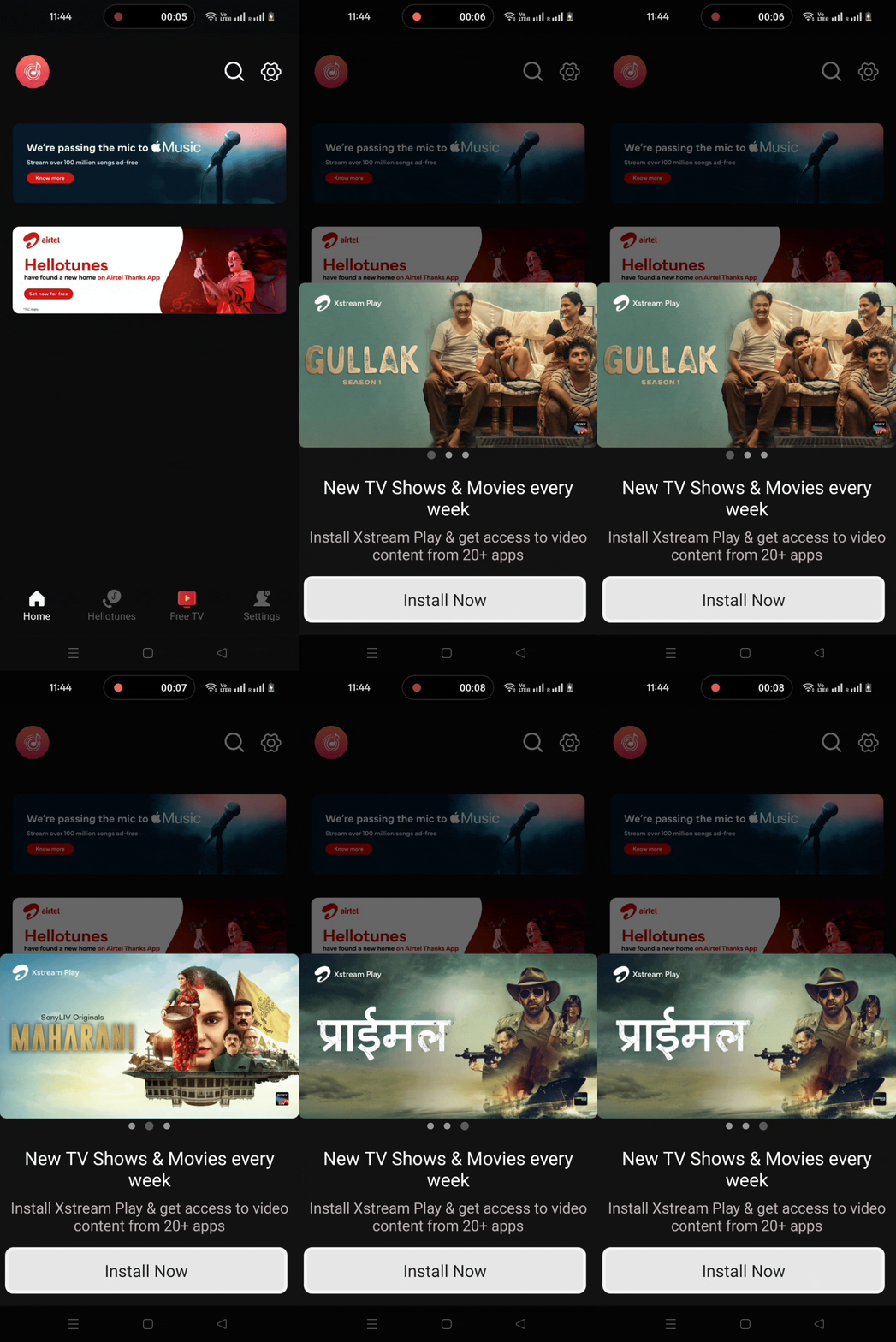
Why it matters: Depending on your industry, 40-60% of users may dismiss the initial permission prompt. Without a recovery strategy, you’re losing the majority of your potential push audience permanently.
10. Measure What Matters
Don’t optimize for clicks alone. Tie push performance back to revenue, retention, and activation goals.
Key metrics to track:
- Opt-in rate: how well your permission flow converts visitors into subscribers
- Click-through rate (CTR): how relevant and compelling your notification content is
- Delivery rate: technical health of your push setup and service worker
- Opt-out rate: whether you’re over-sending or missing on relevance
- Conversion rate: whether pushes actually drive real business outcomes downstream
- Revenue per send: the bottom-line impact of every notification
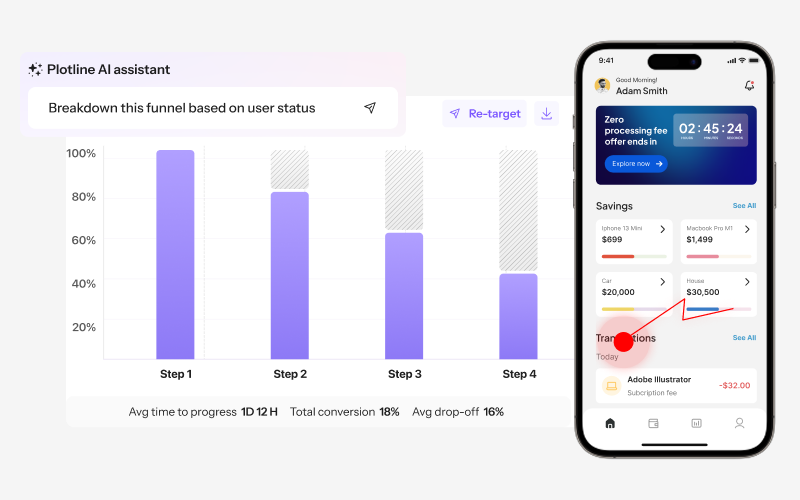
Pro tip: Set up goal tracking that connects push taps to downstream actions like purchases, sign-ups, and feature activations. A high CTR with zero conversions means your landing experience is broken, not your push notification.
Bonus: Web Push + In-App = Full Loop
The most effective teams don’t treat push as a standalone channel. They stitch push with in-app experiences for seamless multi-touch journeys.
How it works:
- Push to in-app campaign: User clicks a push notification and lands on a targeted in-app experience (a bottom sheet with an offer, a product walkthrough, a survey)
- Behavioral retargeting: User ignores the push. Next time they visit, trigger an in-app nudge
- Journey orchestration: Day 1: push notification. Day 3: in-app story. Day 5: follow-up push based on whether they engaged
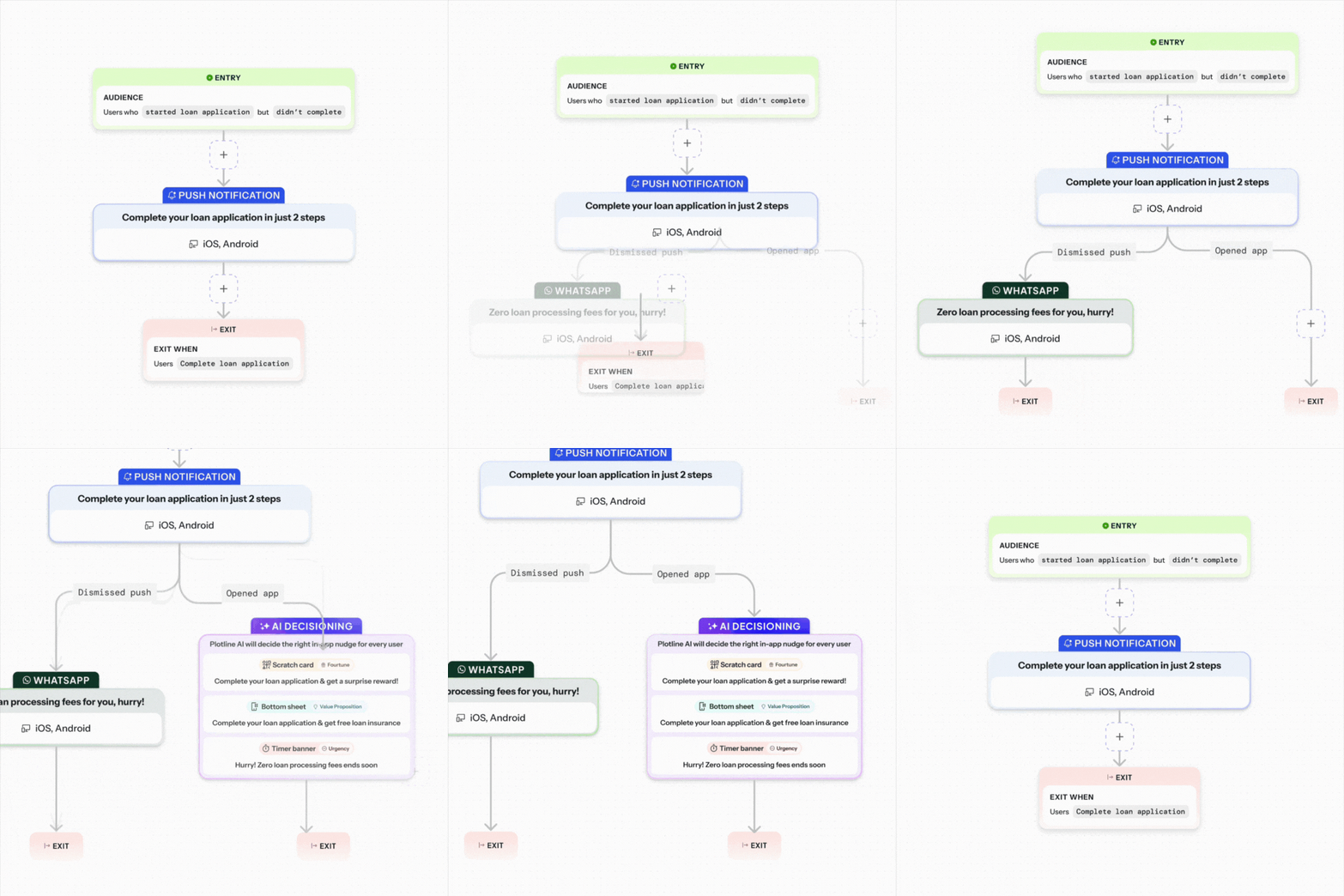
This multi-touch approach consistently outperforms single-channel campaigns. Push notifications drive users back to your site; in-app experiences convert them once they arrive. Together, they close the loop.
Getting Started
Web push is a high-signal, low-friction channel when done well. The brands winning at it are the ones treating every notification as a value exchange, not just a broadcast.
The key principles are simple: ask for permission at the right moment, send relevant content to the right people at the right time, personalize with real user data, test continuously, and connect push to in-app experiences for maximum impact.
Ready to upgrade your web push notification strategy?